
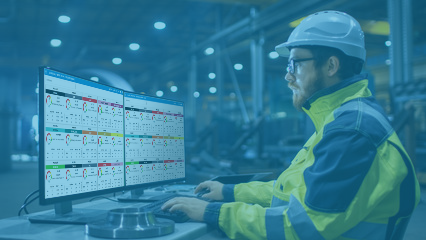
Manufacturing Dashboards for Real-Time, Actionable Insights
Manufacturing dashboards play a central role in how modern factories monitor performance, respond to issues, and make informed decisions. For manufacturing leaders, dashboards are often the primary way production data becomes understandable, actionable information.
If you’re new to manufacturing dashboards or aren’t quite sure how they work, you’re in the right place. Below, we share in-depth information about what manufacturing dashboards are, the types of data they typically display, how different roles use them, and how they provide real-time visibility to support decision-making across manufacturing operations.
What Are Manufacturing Dashboards?
Manufacturing dashboards are visual displays that bring together key production data in one place. Sometimes referred to as factory dashboards, production dashboards, or manufacturing execution system (MES) dashboards, the core purpose remains the same: to improve visibility into manufacturing operations. They do this by turning raw information from machines, systems, and operators into easily digestible charts, tables, and reports that show how a plant is performing.
At a basic level, a manufacturing dashboard answers questions such as these:
- Are we meeting production targets?
- Where are delays or bottlenecks occurring
- How is quality trending today versus yesterday or last week?
- What equipment or processes need attention right now?
Unlike static reports, live dashboards are designed to continuously update and be easily interpreted at a glance. Dashboards that operate in real time enable teams to see what is happening on the shop floor as it happens—not just after the fact.
What Data Does Manufacturing Dashboards Show?
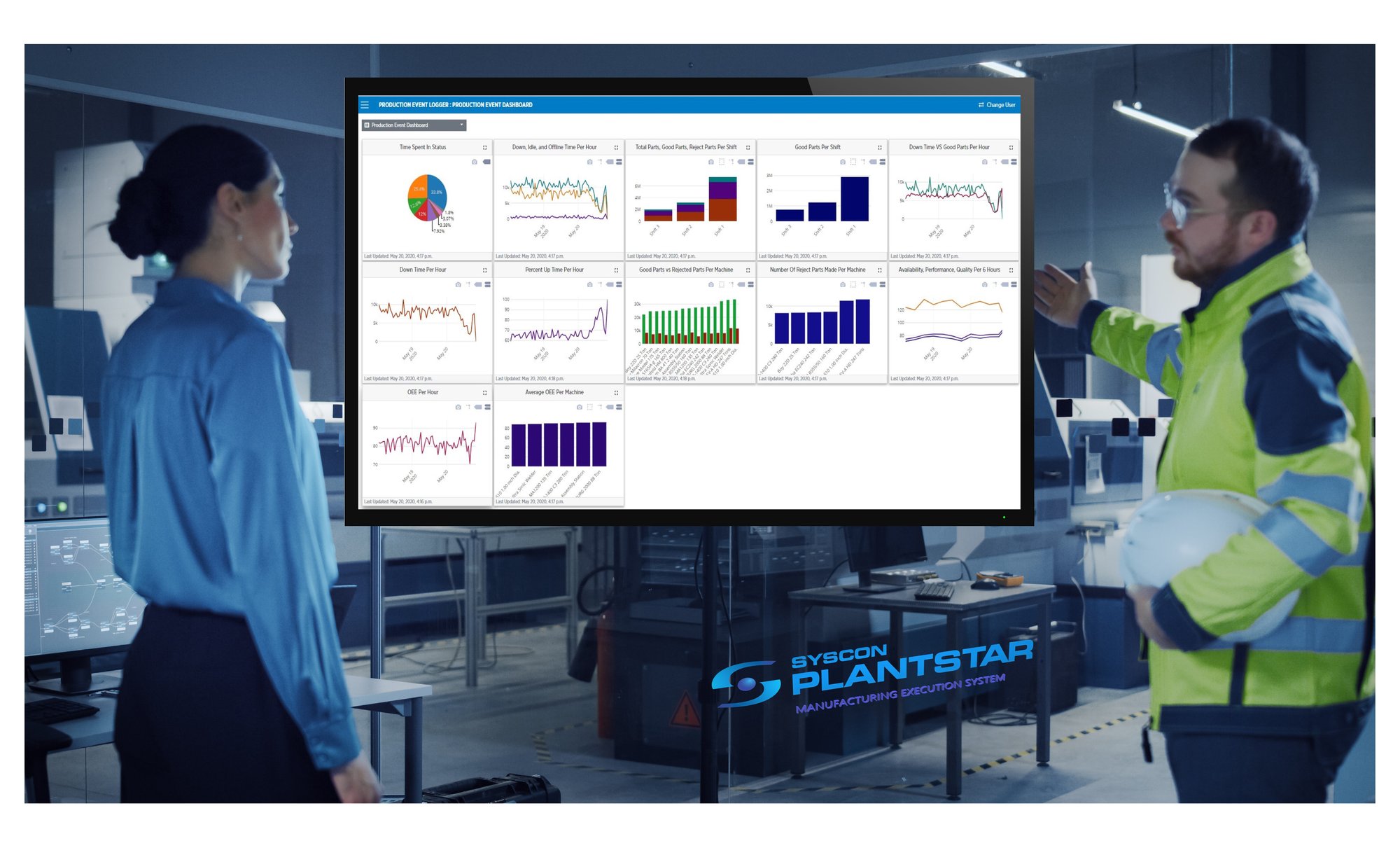
The specific data shown on a manufacturing dashboard depends on the plant, process, and role of the user. However, most dashboards focus on a combination of production and process data.
Real-Time Metrics
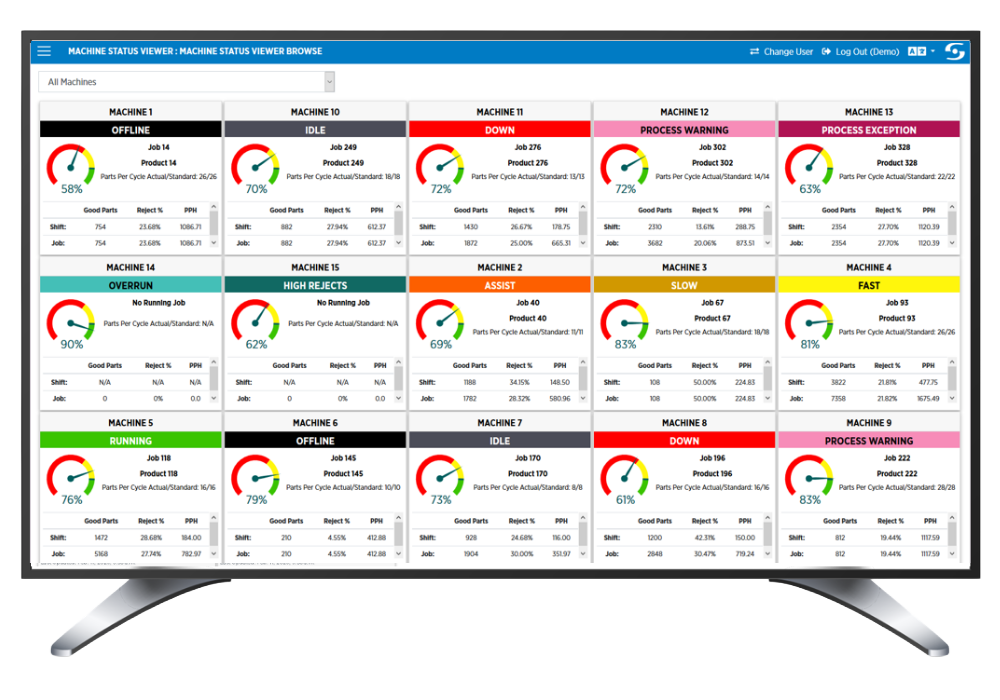
Real-time manufacturing dashboards illustrate shop floor activity as it happens. For example, teams can view:
- Machine or line status (i.e., running, idle, or stopped)
- Current production rate vs. target production
- Active alarms or downtime events
- Work order progress
This real-time visibility empowers teams to respond quickly to issues before they escalate, saving time and money while preventing waste.
KPIs are selected to measure how well an operation is performing compared to identified benchmarks. For example, a manufacturer might choose to closely track any or all of the following:
- Throughput and production counts
- Cycle time vs. take time
- Scrap and rework rates
- On-time completion or schedule adherence
- Overall equipment effectiveness (OEE) variables, including:
- Equipment availability (uptime/uptime + downtime)
- Equipment performance (actual production/optimal production)
- Product quality (good parts/total parts)
Dashboards allow teams to view KPIs like these in context, making it easy to identify what’s working well and where attention is needed.
In addition to providing visibility into current metrics, dashboards can display historical data and identify trends over time. Understanding how performance is changing across shifts, days, or weeks can help leaders identify patterns, recurring issues, and opportunities for improvement. Trend data is valuable for a variety of purposes, including continuous improvement initiatives, root cause analysis, and employee performance reviews.
Different types of manufacturing operations have distinct requirements and, consequently, different data needs. Dashboards can provide visibility into a wide range of data, including:
- Quality inspection results
- Process parameters, tolerances, and deviations
- Data needed to support traceability or regulatory requirements
By displaying all this information in one place, MES dashboards reduce the need to search across multiple systems or reports to access the data you need.
How Different Manufacturing Roles Use Dashboards
Manufacturing dashboards provide the flexibility needed to support team members in various roles. They can present the same underlying data differently depending on who is using the dashboard and what decisions they need to make.
For operators, dashboards typically focus on immediate tasks and conditions. Clear, simple displays can answer operator questions like these:
- What should I be working on right now?
- Am I on pace to meet the current target?
- Is there a problem that needs attention?
These dashboards are often displayed on monitors near the line or workstation, supporting situational awareness and quick, well informed action.
Supervisors use dashboards to manage people, equipment, and priorities across a shift. Because of this, their dashboards typically display information such as:
- An overview of multiple lines or cells
- Current performance compared to targets
- Downtime and quality issues by area
- Status of work orders or schedules
This level of visibility helps supervisors balance resources and respond to issues as they arise.
Manufacturing leaders need a higher level view that connects shop floor performance with business objectives. Dashboards for this audience may highlight, for example:
- Production performance across departments or plants
- Trends in throughput, quality, and efficiency
- Areas of risk or underperformance
- Progress toward operational goals
Rather than focusing on individual events, these dashboards support strategic top-level decision-making and alignment across an organization.
Workers in specialized roles like these often use dashboards to analyze data over time. Their displays can be configured to help them:
- Identify chronic downtime causes
- Monitor process stability
- Track improvement initiatives
- Conduct audits or investigations
By removing the need to rely on slow, error-prone manual reporting or data compilation from multiple sources, manufacturing dashboards empower these specialized employees to move quickly from data collection to accurate insight.
How Manufacturing Dashboards Support Visibility and Decision-Making
Manufacturing dashboards provide plant-wide visibility that fuels strategic decision-making. When production data is fragmented across systems, spreadsheets, or paper records, it takes considerable time, effort, and expertise to organize the numbers into a format that helps decision-makers understand what is actually happening on the floor.
Dashboards streamline and enhance the accuracy of this process by:
- Centralizing data from multiple sources
- Presenting key information in a clear visual format
- Reducing the time required to interpret data to support faster, better informed decisions
How PlantStar Dashboards Fit Into MES & Monitoring
Manufacturing dashboards are most effective when integrated into an MES. The MES provides the structure for collecting, contextualizing, and managing production data, so dashboards connected to an MES draw from a reliable, centralized data source.
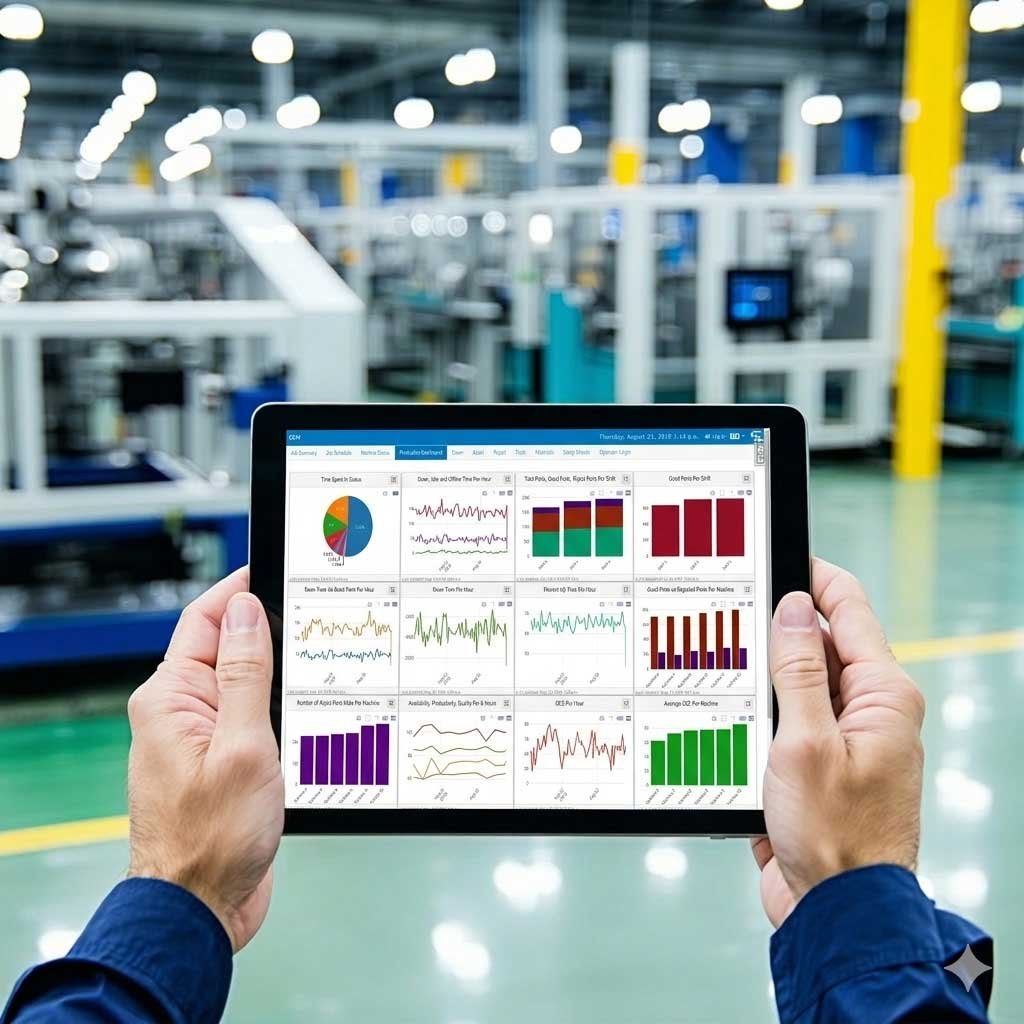
Within PlantStar’s MES, dashboards can display information such as:
- Production and process monitoring data
- Work order and schedule information
- Quality and compliance records
- Equipment and downtime events
Connecting your dashboards to the PlantStar MES helps ensure the data they display is accurate, consistent, and aligned to the way your plant operates. It provides real-time visibility across production, process, and performance data, eliminating the need to assemble information from multiple systems. It can even be integrated with your ERP or MRP to bring production and process data together with information about inventory, supply chain, finance, customer relations, and more.
PlantStar’s manufacturing dashboards are much more than real-time displays. They are tools for turning manufacturing data into shared understanding that supports timely, informed action. By clearly showing what is happening on the shop floor, dashboards help manufacturing leaders:
- Improve awareness across roles
- Respond quickly to issues
- Make continuous improvement
- Make decisions based on reliable, up-to-date information
Paired with PlantStar’s MES, our dashboards provide a single, consistent source of truth that supports day-to-day operations as well as long-term planning and improvement.